
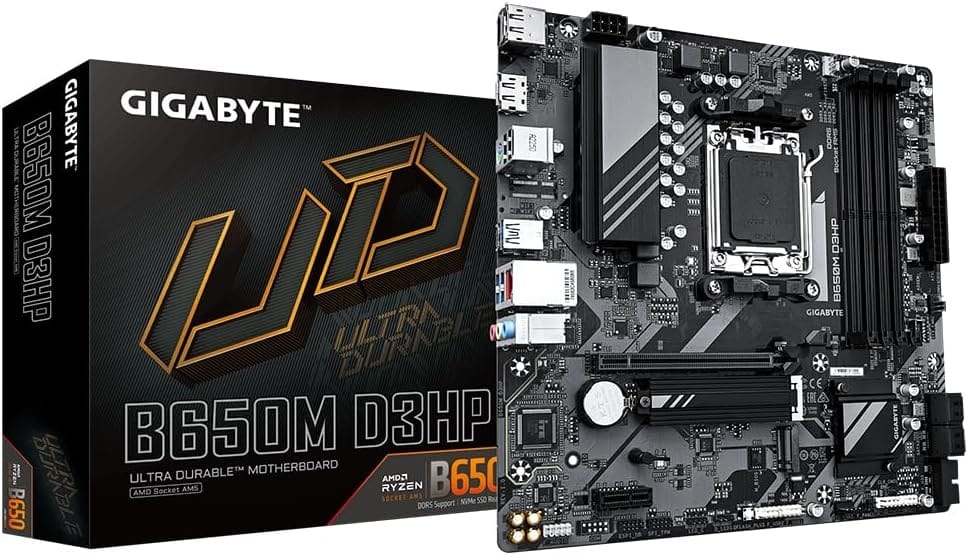
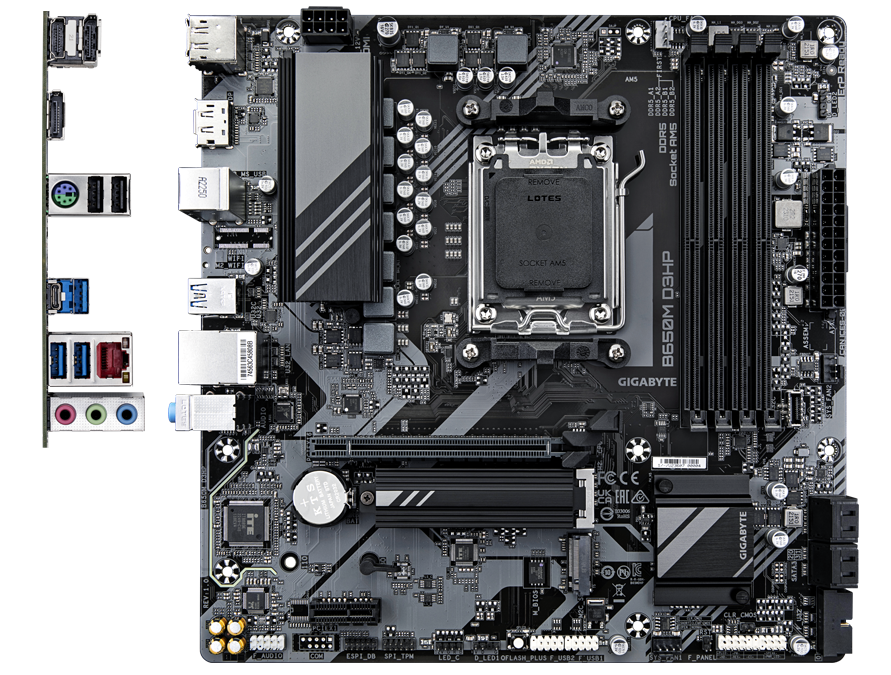
-
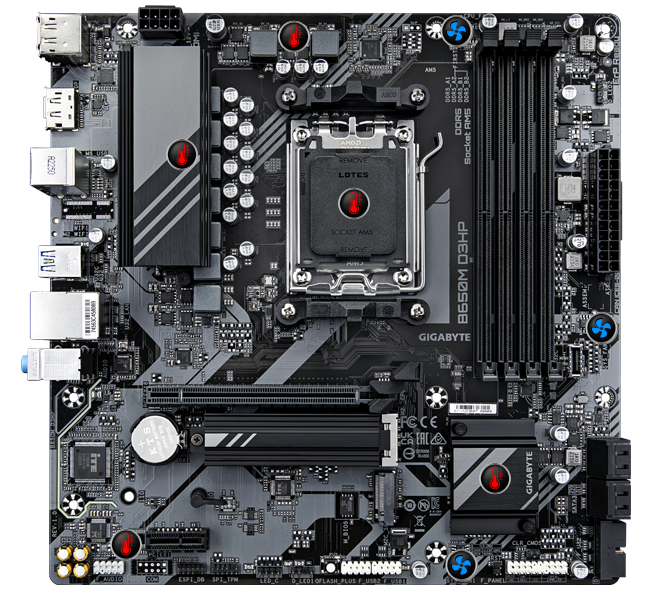
Solid Pin CPU Power Connector
-
5+2+2 Digital VRM Design
-
HDMI , DisplayPort
-
DisplayPort
-
USB 3.2 Gen1 Type-C
-
USB 3.2 Gen1
-
2.5 GbE LAN
-
1*PCIe 4.0 x16 slot
-
PCIe 4.0 x 4 M.2 Connectors
-
Dual Channel SMD DDR5 Memory
-
Socket AM5 Supports
AMD Ryzen™ 7000 Series Processors
-
Smart Fan 6
- 3*PWM/DC Fan Headers
- Dual Fan Curve Mode
-
PCIe EZ-Latch
-
RGB FUSION
- 2*Addressable LED Header
- 1*RGB LED Header
-
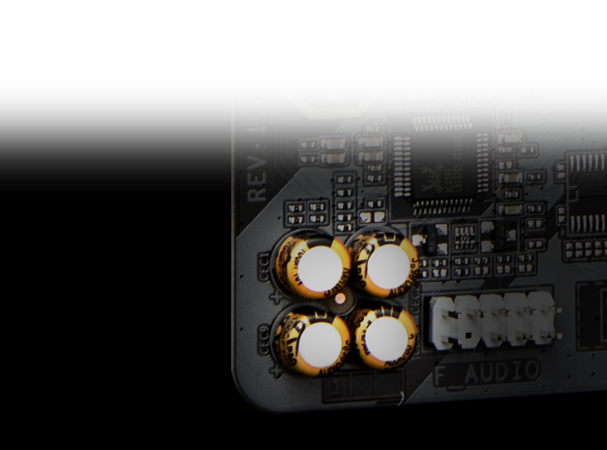
Hi-Fi Audio
- 8-Ch HD Audio
- Audio Noise Guard
- High-End Audio Capacitor
-
4*SATA 6Gb/s
GIGABYTE Ultra Durable™ motherboards built with optimal components inside out provide the prime performance and timeless platform.
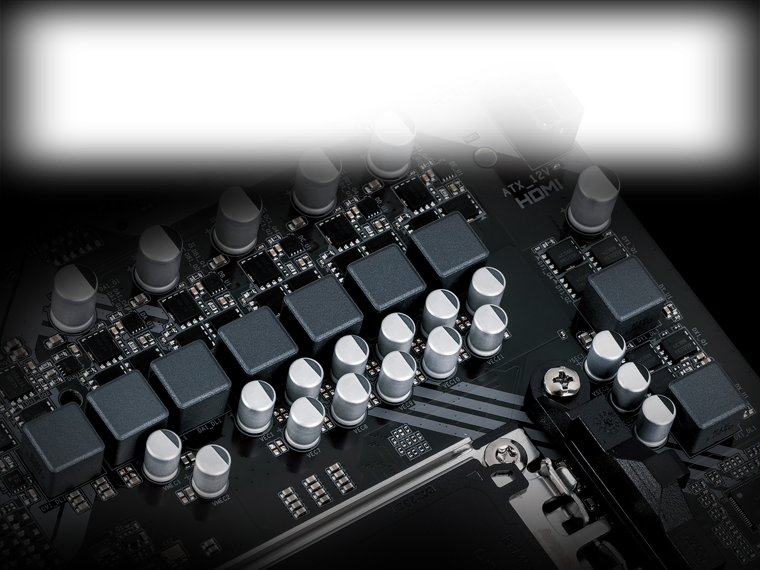
Digital VRM Design
5+2+2 Phases Digital VRM Solution with Low RDS(on) MOSFETs
GIGABYTE UD series motherboards use a 5+2+2 phases digital PWM + Low RDS(on) MOSFETs design to support AMD’s new generation CPUs by offering incredible precision in delivering power to the motherboard’s most power-hungry and energy-sensitive components as well as delivering enhanced system performance and ultimate hardware scalability.
EXPO & XMP Support
DDR5 EXPO & XMP Overclocking Up to 8000 and Beyond*
GIGABYTE is offering a tested and proven platform that the memory overclocking capability is able up to 8000 and beyond. All users need to do for achieving this extreme memory performance boost is to ensure that their DDR5 memory modules are AMD EXPO™/ Intel® XMP capable, the EXPO/XMP function is activated and enabled on their GIGABYTE motherboard.
* EXPO/XMP profiles support may vary depending on memory modules.
* Please refer the completed validated memory support list.
* Product features may vary by model.
EXPO & XMP Support
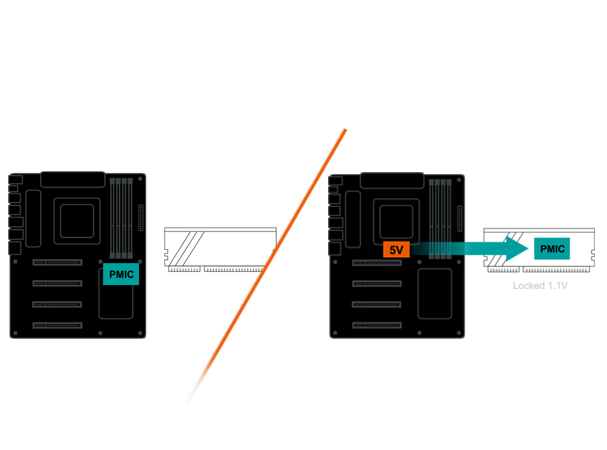
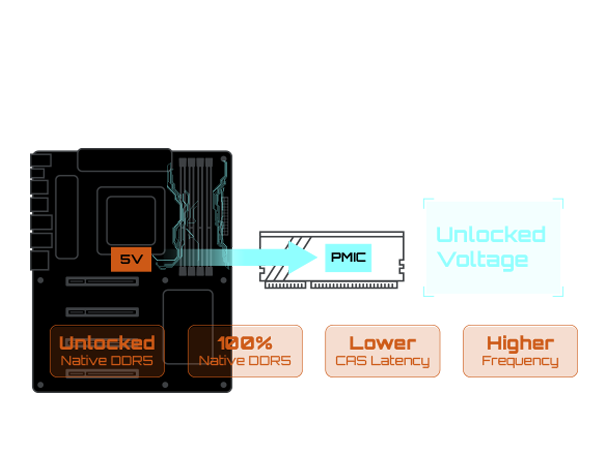
Unlock DDR5 Voltage
Secure Mode
MB provides fixed 5V to Native DDR5 memory and built-in PMIC outputs locked 1.1v to memory IC.
-
- • GIGABYTE exclusive circuit design unlocks Native DDR5 voltage control
- • Transforms Native DDR5 memory module to Overclocked DDR5 memory
- • Increases DDR5 memory overclocking performance and capability
- • Supports all PMIC vendors for maximum compatibility
EXPO & XMP Support
GIGABYTE Exclusive DDR5 Circuit Design
Programmable Mode
GIGABYTE’s exclusive design unlocks Native DDR5 PMIC secure mode into programmable mode and control Native DDR5 voltage with wide range.
EXPO & XMP Support
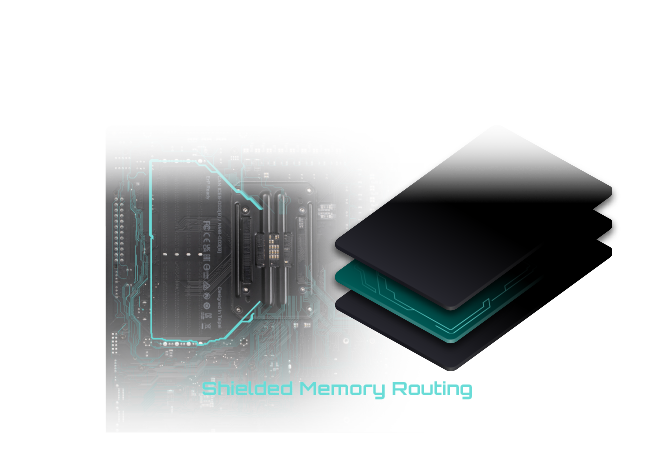
Shielded Memory Routing
Note: The picture is for reference and may vary by mode.
All memory routing is under the PCB inner layer shielded by a large ground layer to protect from external interference.
EXPO & XMP Support
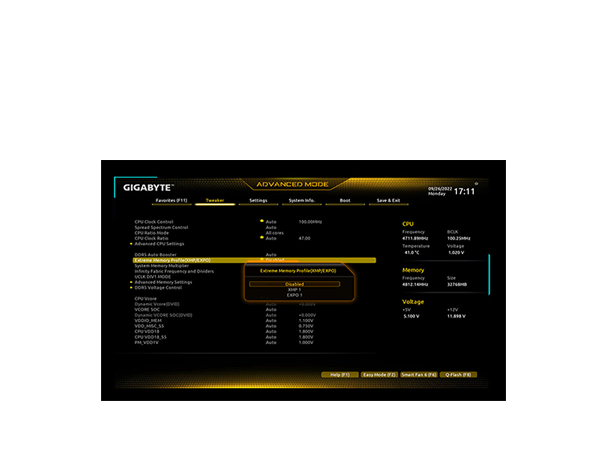
EXPO and XMP Dual Support
GIGABYTE AM5 MB supports both AMD EXPO™ and Intel® XMP overclocking memory modules for maximal compatibility. MB will automatically detect both profiles format in SPD, users can choose to enable one of profiles from BIOS menu and easily reach overclocked memory performance.
EXPO & XMP Support
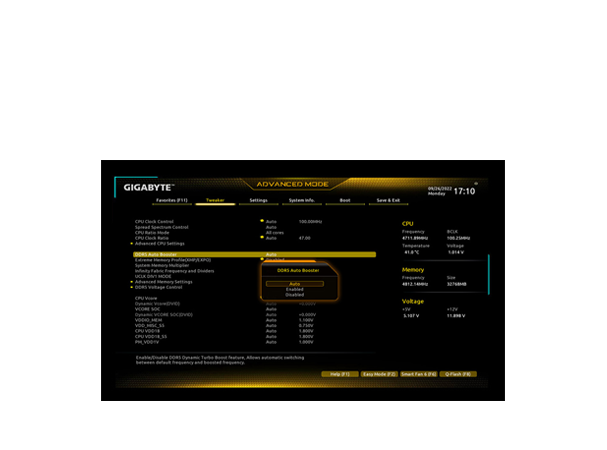
DDR5 Auto Booster
Automatically Boost the Native DDR5 frequency to 5000MHz while the system is under heavy loading by a single click.
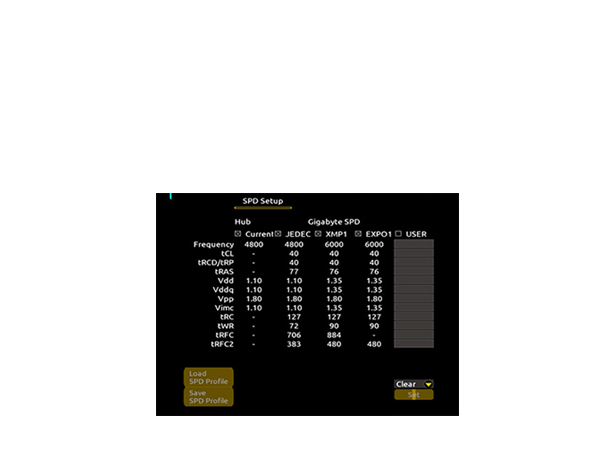
EXPO & XMP Support
AMD EXPO™ and Intel® XMP 3.0 User Profile
– SPD Re-defined or retrieve from database
– Performance Simulation
– Save/Load Profile
– Overclocked Performance
– Profile Clearance
Define and create your own SPD profile into Native, AMD EXPO™ and Intel® XMP 3.0 memory modules. One user-defined profile can be saved, loaded either locally or from/to an external storage device.
- One empty SPD profile can be defined by users and carry to next computer
- Quick memory performance simulation based on user input clock and timing parameters
- Profile save and load function to share your memory parameters online
Future Connectivity
The ultimate connectivity with blazing data-transfer speeds through the next generation network and storage.
2.5GbE LAN
Supercharge your gaming with 2.5GbE LAN Achieve lightning-fast speeds, minimal lag, and unbeatable performance to elevate your gaming setup and dominate the competition.

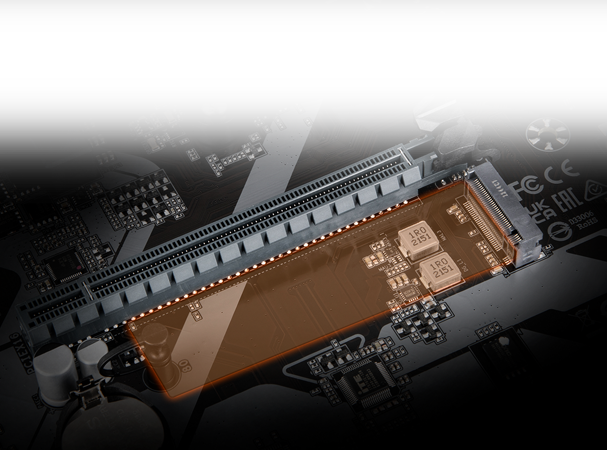
PCIe 4.0 Hardware Design
GIGABYTE B650 Motherboards are ready to work with the PCIe 4.0 devices which are expected to experience twice bandwidth than the current PCIe 3.0 devices. To reach the high speed and maintain good signal integrity, GIGABYTE R&D uses the low impedance PCB to provide the maximum performance.
* Photo for reference only.
Hi-Fi Audio
Easy Friendly
Innovative and intuitive hardware, software, and BIOS interface design to create your personal style.
EZ-Latch
Unlock the latch of the PCIe slot easily when remove the graphics card in the PCIe slot.
Q-Flash Plus
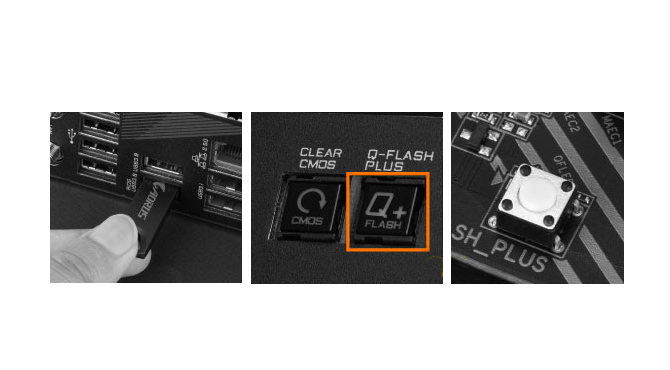
Update the BIOS easily without installing the CPU, memory and graphics card. With GIGABYTE Q-Flash Plus, you don’t need to install the CPU, memory and graphics card nor enter the BIOS menu to flash the BIOS. Just download and save a new BIOS file (rename to gigabyte.bin) on the USB flash drive, then press the dedicated Q-Flash Plus button and you’re good to go!
- STEP 1: Plug 24pin & 8pin power supply cable on motherboard
- STEP 2: Download motherboard BIOS file and rename to “”gigabyte.bin””, save to USB flashdrive, and plug USB flashdrive into Q-Flash USB port
- STEP 3: Press Q-Flash Plus button, and motherboard will start updating BIOS automatically.
Smart Fan 6
Smart Fan 6 contains several unique cooling features that ensure gaming PC maintain its performance while staying cool and quiet. Multiple fan headers can support PWM/DC fan and pump, and users can easily define each fan curve based on different temperature sensors across the board via intuitive user interface.
Cooling Features
- High Current Support: Each fan headers support PWM and DC fan and Water Cooling Pump , and up to 24W (12V x 2A) with Over-Current Protection
- Precision Control: Multiple temperature/fan speed control points for precise fan curve
- Dual Curve Mode: Slope/Stair dual mode for different user scenario
- Fan Stop: Fan can stop completely below users’ specified temperature point
Smart Fan 6 BIOS UI
- Improve fan curve UI: We increase control points from 5 to 7 and larger fan speed graph for precise and easier fan curve control.
- Slope/Stair dual graph mode: Fan curve can be quickly switch with Slope and Stair modes for different user scenario. Slope is traditional and intuitive linear fan speed curve. With newly added Stair non-linear mode, fan keeps at same speed between specified temperature interval.
- Manual Input: For advanced users, we provide fan speed manual input for more precise control.
- EZ Tuning: Use can place 4 EZ Tuning points at rough temperature/fan speed, and Smart Fan 6 can quickly generate a fan curve.
- Fan curve profile: Fan curve profile can be saved in BIOS ROM, profile will be kept after updating BIOS.
Note: The picture is for reference and may vary by model.

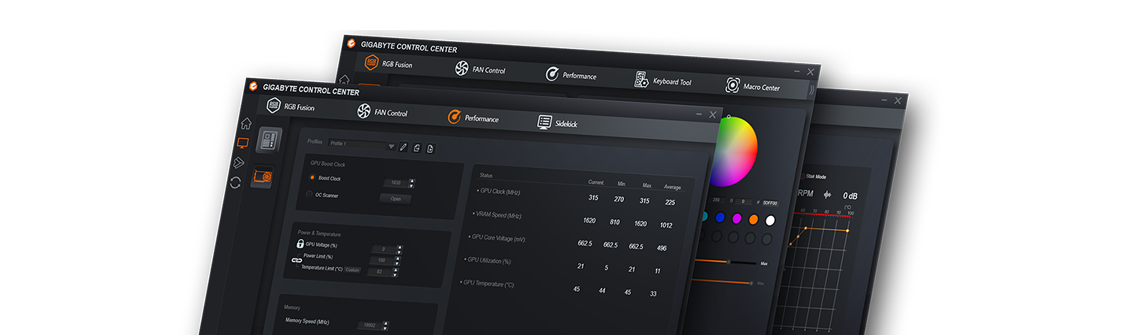
GIGABYTE Control Center
GIGABYTE CONTROL CENTER (GCC) is a unified software for all GIGABYTE supported products. It provides newly designed intuitive user interface to control all essential function.
- Unified software platform for all Gigabyte supported products
- Intuitive user interface for an eased experience
- Modularized control components only for installed hardware
- Auto update function to keep system up to date and support future products
Reviews
There are no reviews yet.